Email set up on Gmail

Helpful advice for common issues.
Call 01373 482 774

Speak to our team to discuss your project

info@dentonsdigital.com

Send us an email to start a conversation

Call 01373 482 774

Speak to our team to discuss your project

info@dentonsdigital.com

Send us an email to start a conversation

Email set up on Gmail

Helpful advice for common issues.
Call 01373 482 774

Speak to our team to discuss your project

info@dentonsdigital.com

Send us an email to start a conversation

Email set up on Gmail

By Dentons Digital

Posted: October 29, 2020

To set up your new account on your Gmail account, first login to your existing Gmail account (here).

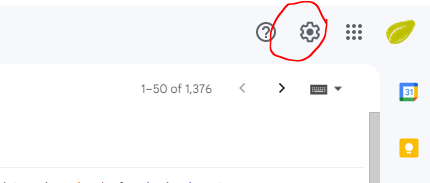
Go to the Gmail Dashboard & click on the Settings icon:
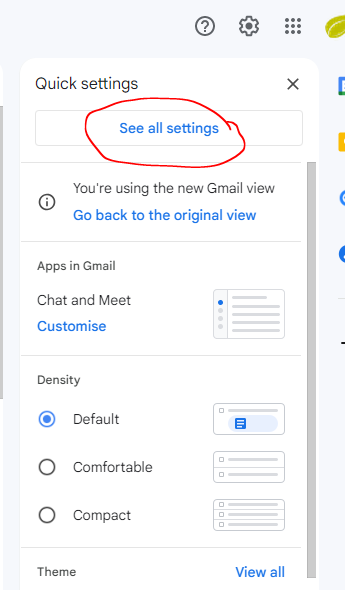
Click See all settings.
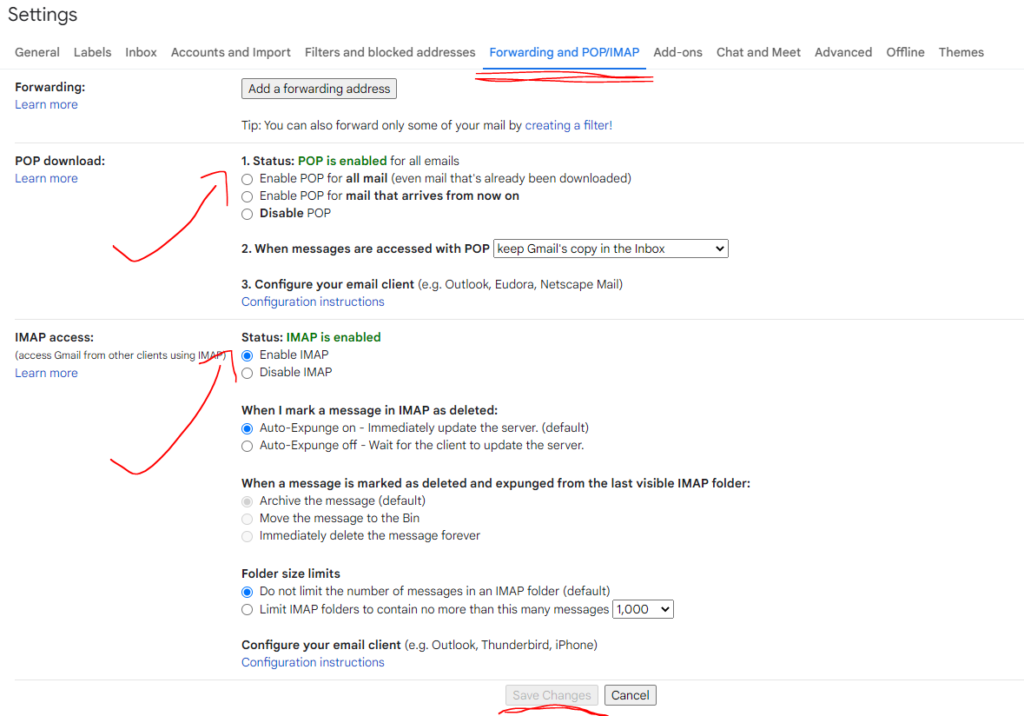
Click Forwarding and POP/IMAP. 

Ensure Enable POP for all mail is ticked.
Ensure Enable IMAP is ticked, and click Save changes at the bottom.
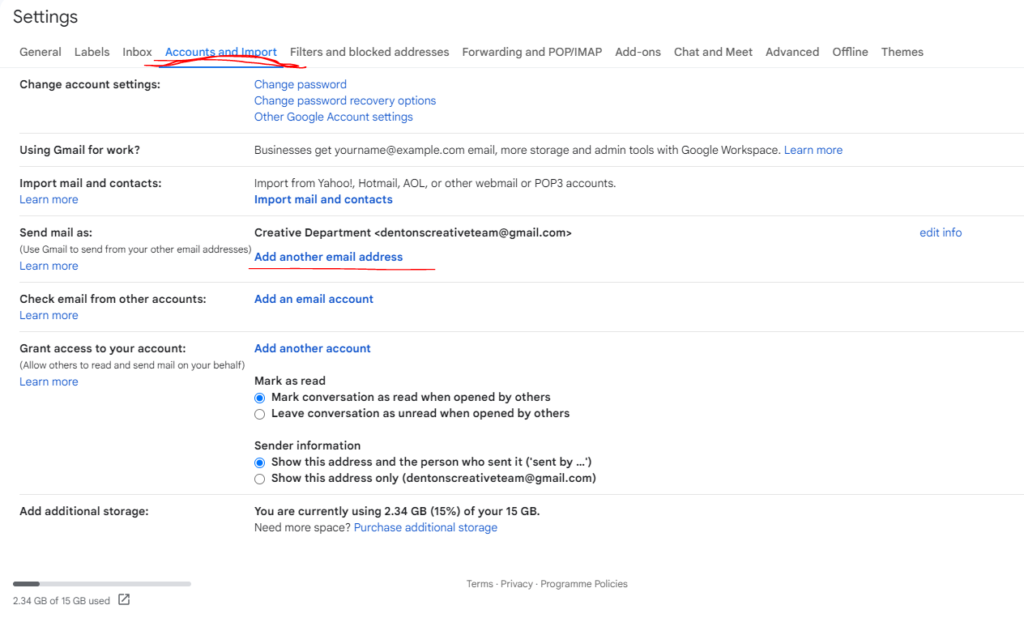
Click accounts and Import, and tap Add another email address (next to send mail).
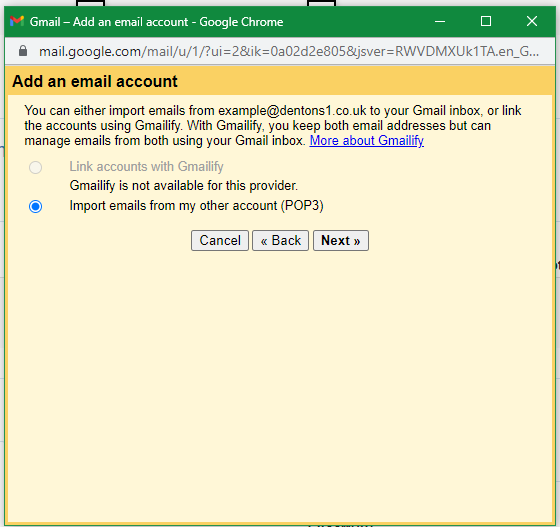
Click next on this page.
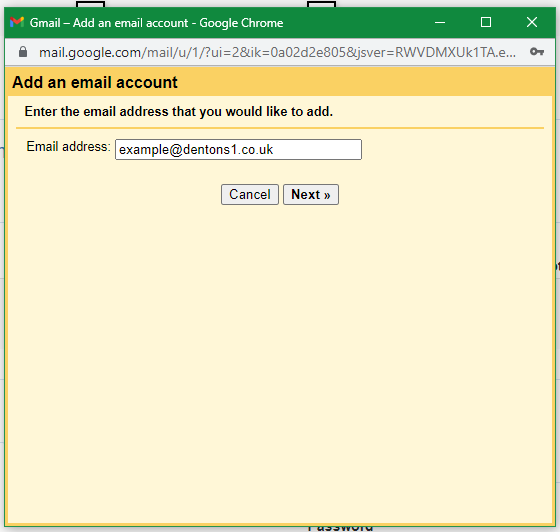
Fill in the email address & click Next.
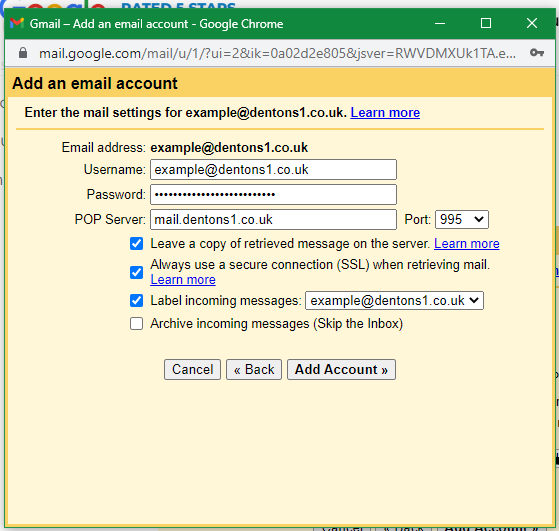
Fill in the username with the email address field.
Fill in your email password in the password field.

The POP server is mail. your domain name. Here you can see we’ve used our example domain, dentons1.co.uk.
Ensure the Port is 995.
Ensure the first three tickboxes are checked.

Click Add Account.
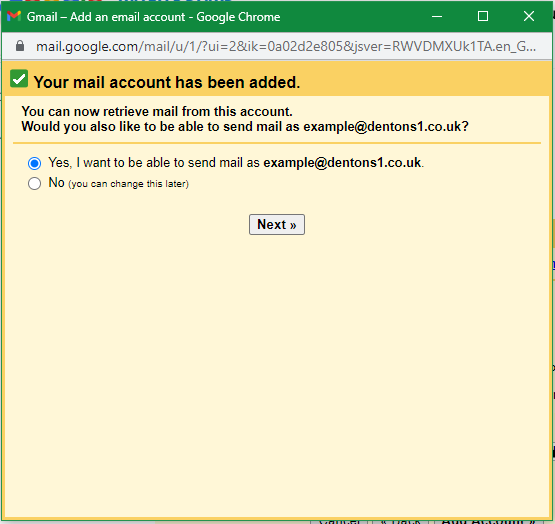
Click yes & then next – you would like to send mail as well as receive.
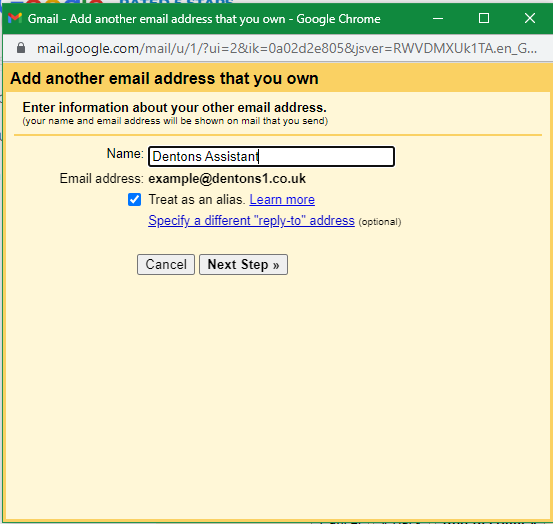
Fill in the name you would like to send emails as. If you would not like to assign a name to this email account, just put the email account in full.

Click Next Step.
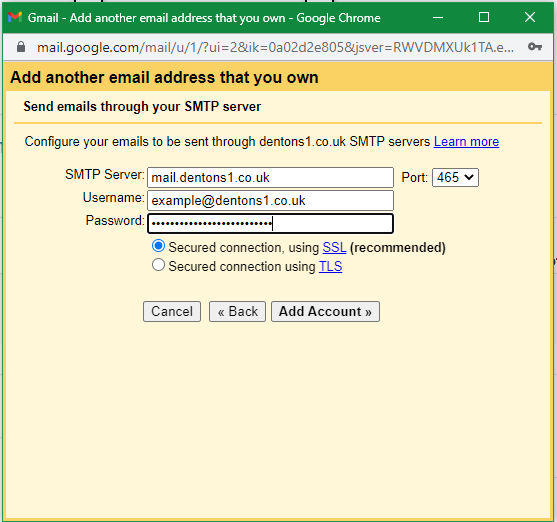
The SMTP server is mail. your domain name. Here you can see we’ve used our example domain, dentons1.co.uk.
Ensure the Port is 465.
Fill in the username as your email address
The password field with your email password
And ensure that SSL is ticked, not TLS.

Click Add Account.
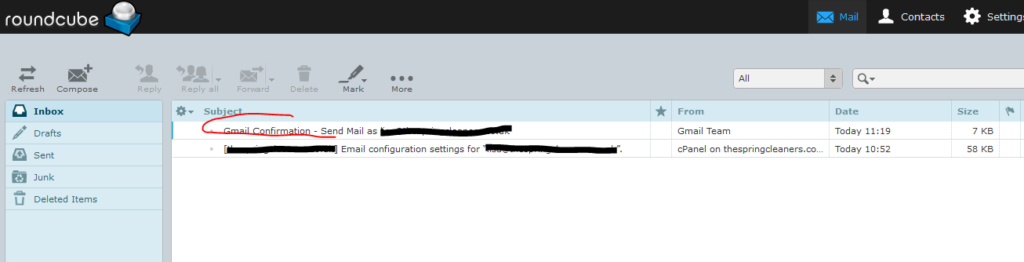
Next, you need to verify the connection to Gmail.
Leave this screen open (above) & go to your webmail account to confirm the connection.
This link will be provided separately with your email details. The link will look like this:

www.mydomain.co.uk/webmail

Ours in this example would be www.dentons1.co.uk/webmail. 

Once you have logged in, please access this email which will have been sent to your account. 
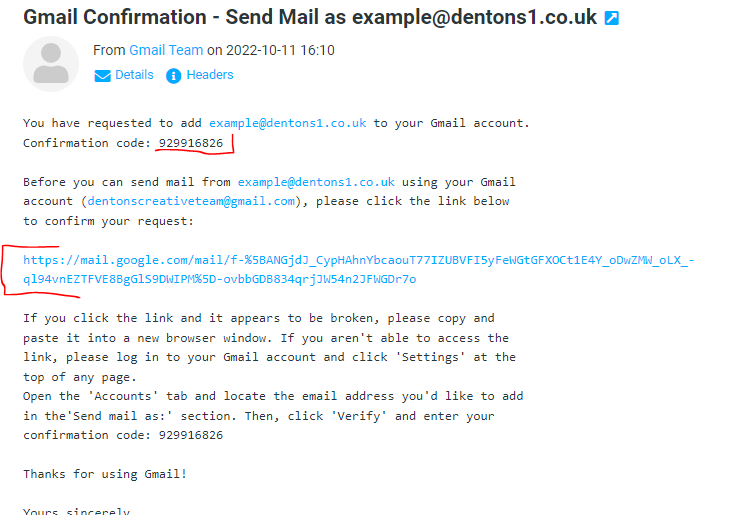
You can either paste the confirmation code into the yellow popup box provided by gmail, or you can click the link (underlined in red) in the email to confirm the connection to your gmail account.

Once you have completed this step, your account has been added to gmail.

Running into trouble setting up your account?

Get some helpful advice

Fill in the form below, and one of the Dentons Digital Team will be in touch.

If you would rather, you can ring up for a chat, or drop in for a coffee. We can help and advise you on how to improve your digital presence. There are no catches.

Call 01373 482 774

Speak to our team to discuss your project

Share this post

News
Sarah Candy

All My Plumbing Work is Too Far Away: How To Fix It

If every job drags you miles out of town, the issue isn’t demand, it’s visibility. Customers call the plumber who shows up closest in search. The fix: tune your online presence so locals see you first. Less wasted fuel, less time on the road, more evenings at home.

Carpenter looking for customers online
News
Sam Sanders

Not getting joinery jobs in nicer areas: what’s holding you back

Missing out on higher-end joinery jobs isn’t about skill, it’s about signals. Homeowners in wealthier postcodes look for proof that you’re reliable, established, and a fit for their home. The fix: reviews, polished photos, and clear presentation that shows your craft deserves their trust (and their budget).

Tiles that stand out
News
Sarah Candy

People can’t remember my tiling company after the job: Here’s how to fix it

Doing a great job isn’t enough if people forget your name afterwards. Customers often remember “the tiler” but not which tiler. That means lost referrals, no repeat work, and no word-of-mouth momentum. The fix: build small, simple memory hooks, reviews, photos, tokens, and follow-ups that make your business name stick.

Websites

We create dynamic websites to generate sales for your business.

SEO

Maximise your website reach with search engine optimisation.

PPC

Reach out to customers with pay-per-click campaigns for your business.

Content Creation

Digital content and copywriting services to get the message across.

Dentons Digital
Privacy Overview

This website uses cookies so that we can provide you with the best user experience possible. Cookie information is stored in your browser and performs functions such as recognising you when you return to our website and helping our team to understand which sections of the website you find most interesting and useful.